

Public sector & higher education
Our Work & capability statements
See what MGV has built.
Explore DNA Health Insights, our interactive prototypes, and the Gateway we use to manage AI-assisted engineering.
Each example identifies what was built, what remains illustrative, and where you can examine the work further.
Download a capability statementBuilt application / Consumer genomics
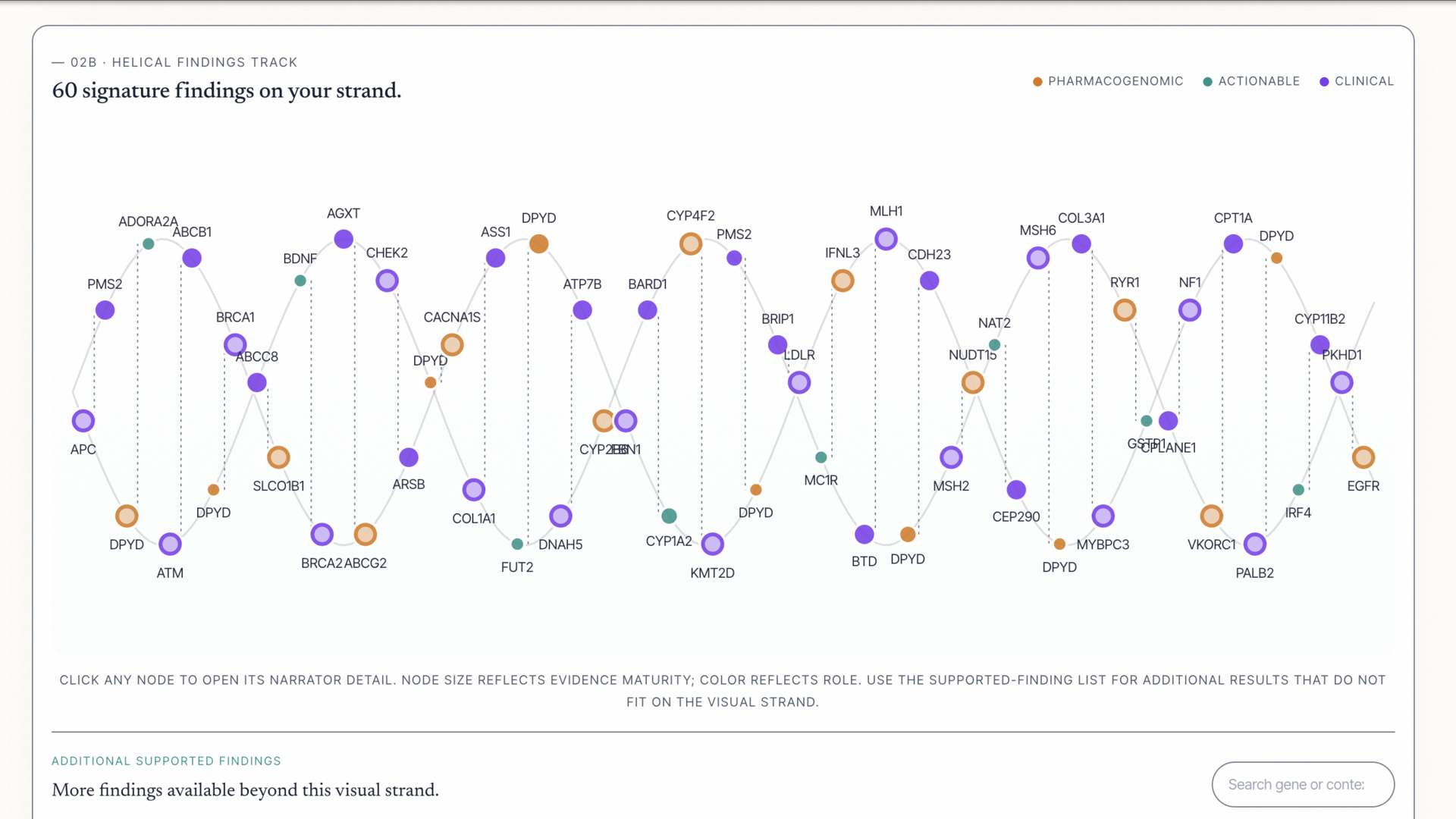
DNA Health Insights.
Helping people make sense of their genetic information.
- Problem. Genetic results can be unfamiliar and difficult to use without clear context.
- Design decision. Raw DNA processing stays in the browser, while structured findings and reports can be saved to the signed-in account. This separates personal source data from the information people revisit.
- Built. An educational application that brings genetic findings, plain-language explanations, and reports together in one experience.
- Checked. The current application source confirms browser-local raw-DNA processing and account-scoped saved findings and report access.
- Current result and limit. People can explore results, learn the context, and return to saved information; the application provides education, not diagnosis or treatment.
Created for a family member's business; shown as an MGV work sample, not an independent client endorsement. Account access may be required for application features.
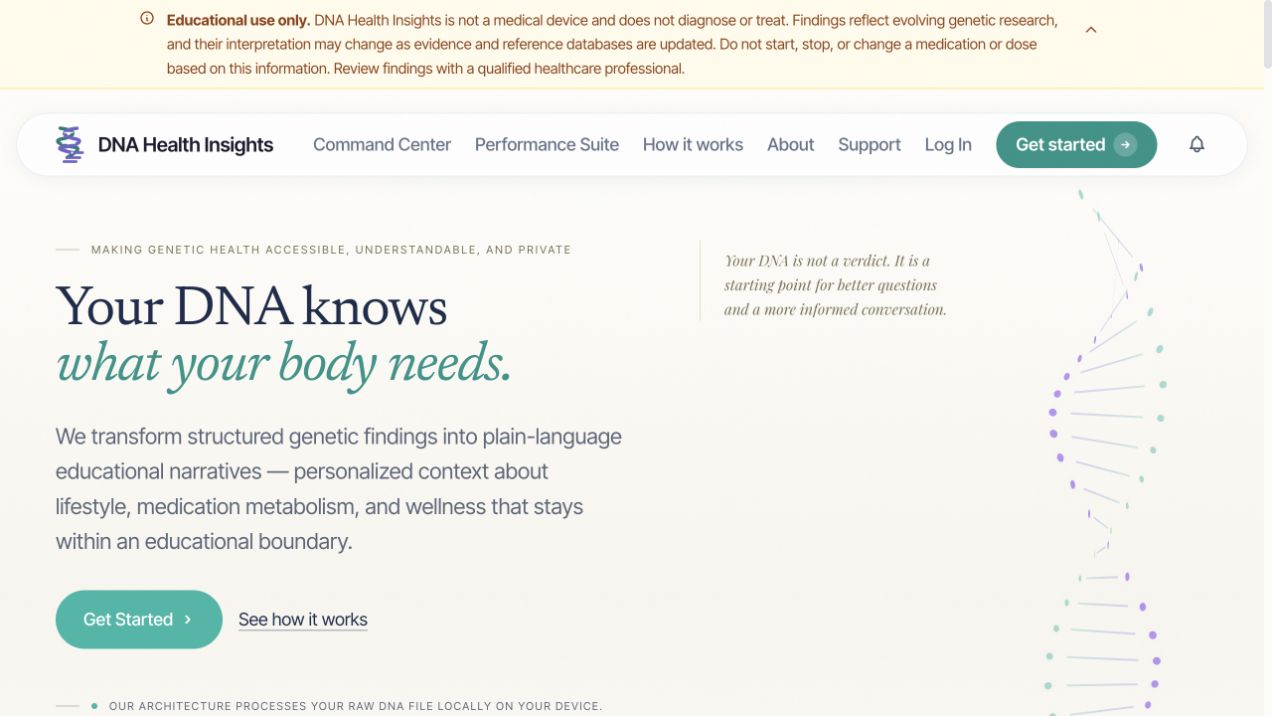
Authentic product-interface screenshots. Account names and identifying details are not shown.
Interactive Prototypes
A good prototype helps expose requirements that documents alone don't reveal.
Try a proposed system before committing to the full build. A focused prototype gives your team a practical way to explore everyday tasks, compare options, and discover what needs to change. Hands-on experience helps you choose the right direction for your organization. These demonstrations are separate from the DNA Health Insights application.
01 / Local-government prototype
Local government planning.
A clear way to see the plan, collect updates, and understand progress.
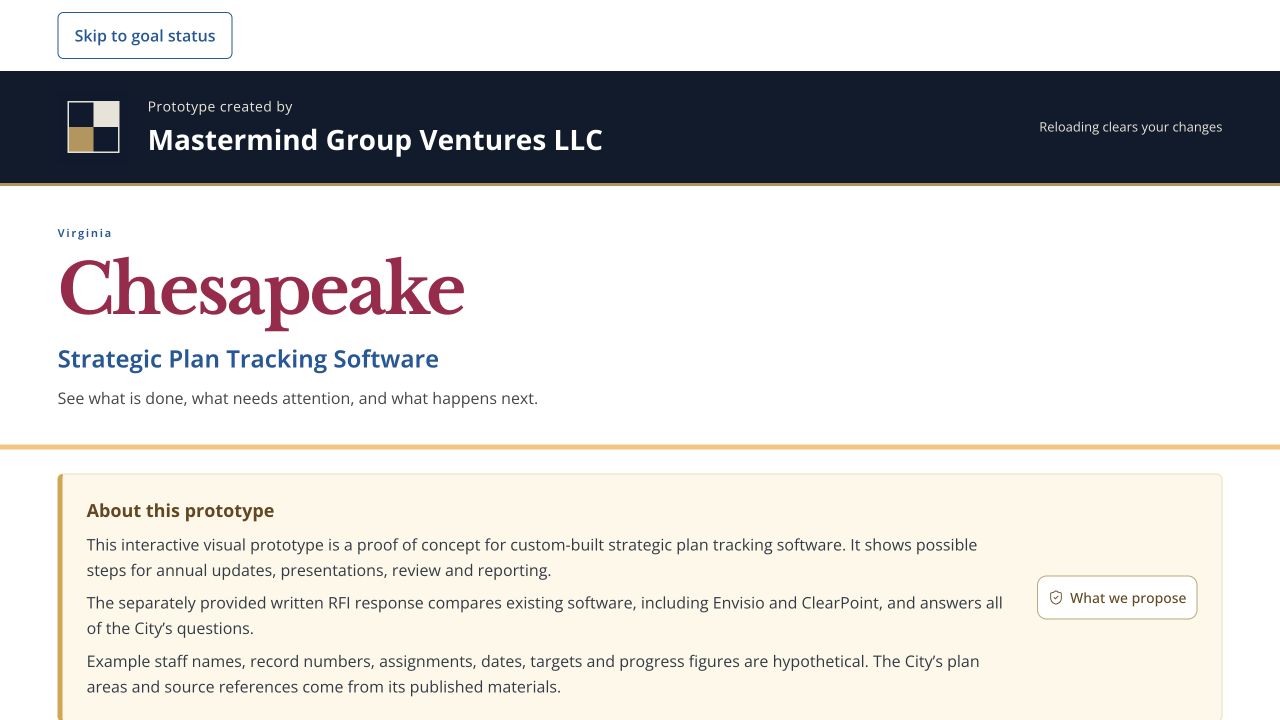
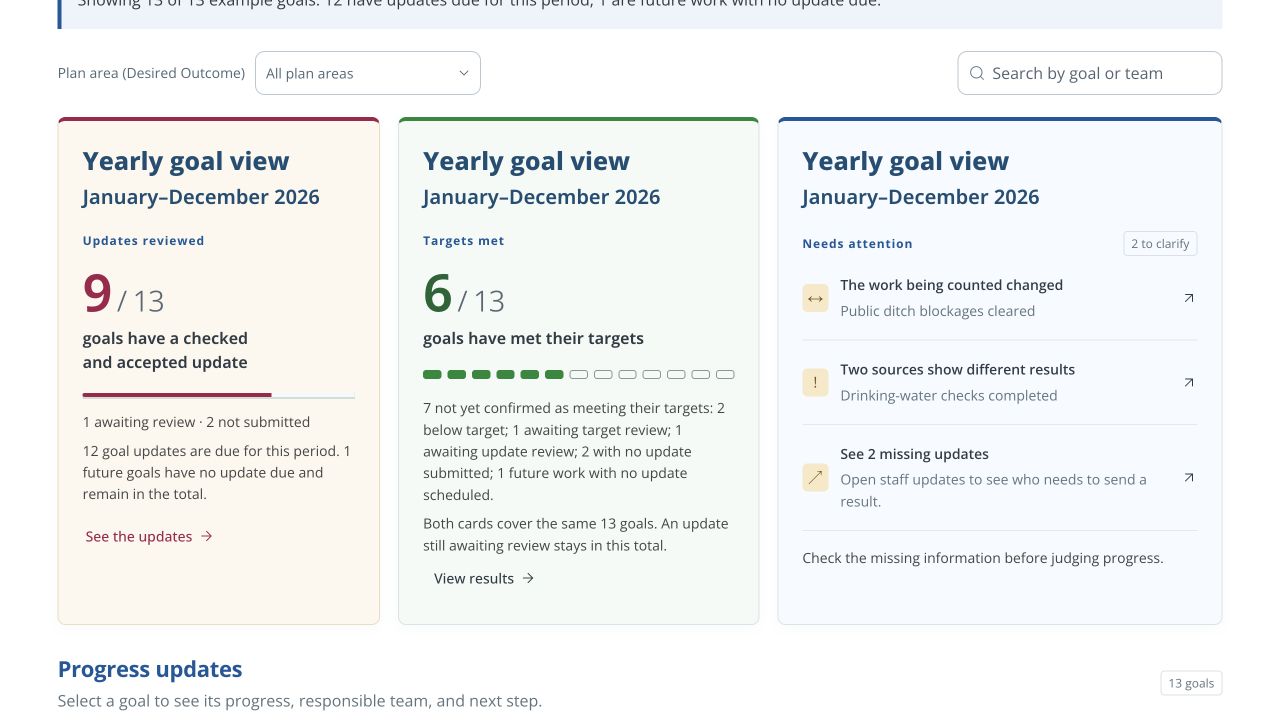
MGV built this visual proof of concept for municipal strategic-plan tracking, using Chesapeake's published needs as the example. It lets a visitor move between staff updates, annual review, goal details, reports, and illustrative AI-assisted insights.
Separate review from results.
The design separates an update being reviewed from a goal reaching its target. Human review comes before an update is accepted. Staff contributions, reviewer responsibilities, and the year's progress have distinct places in the interface.
An illustrative browser-based prototype with hypothetical records—not a City deployment. The AI and Microsoft examples are demonstrations, not live integrations.
02 / Community-assessment prototype
See the needs.
Check the information.
A community-needs assessment concept for people planning local services.
This MGV discussion prototype lets staff review sources, examine community findings, and prepare reports while keeping missing information and final approval visible.
An independently developed discussion concept using hypothetical information, not commissioned or adopted Shine Early Learning software. Data connections and access controls are illustrative.
Explore the community prototype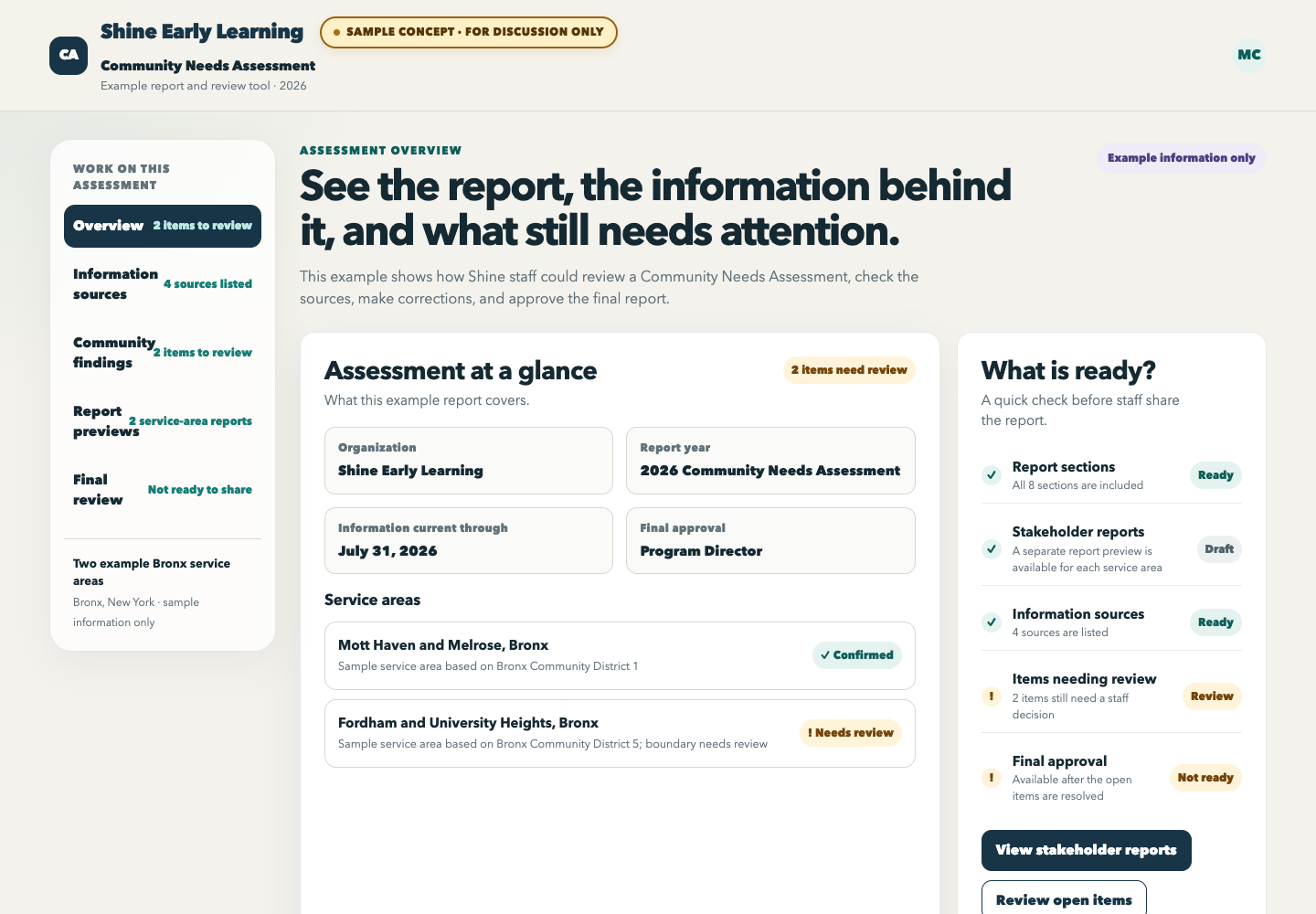
03 / Retail chatbot prototype
Stride shopping assistant.
Try the conversation before committing to an integration.
MGV built an interactive assistant inside an original retail concept. Visitors can choose a suggested question or type their own, see a response, and explore how help could fit into the shopping experience.
An original proposal prototype with scripted responses and a generic brand. No live AI, customer accounts, retailer affiliation, or inventory connection is represented.
Try the shopping assistant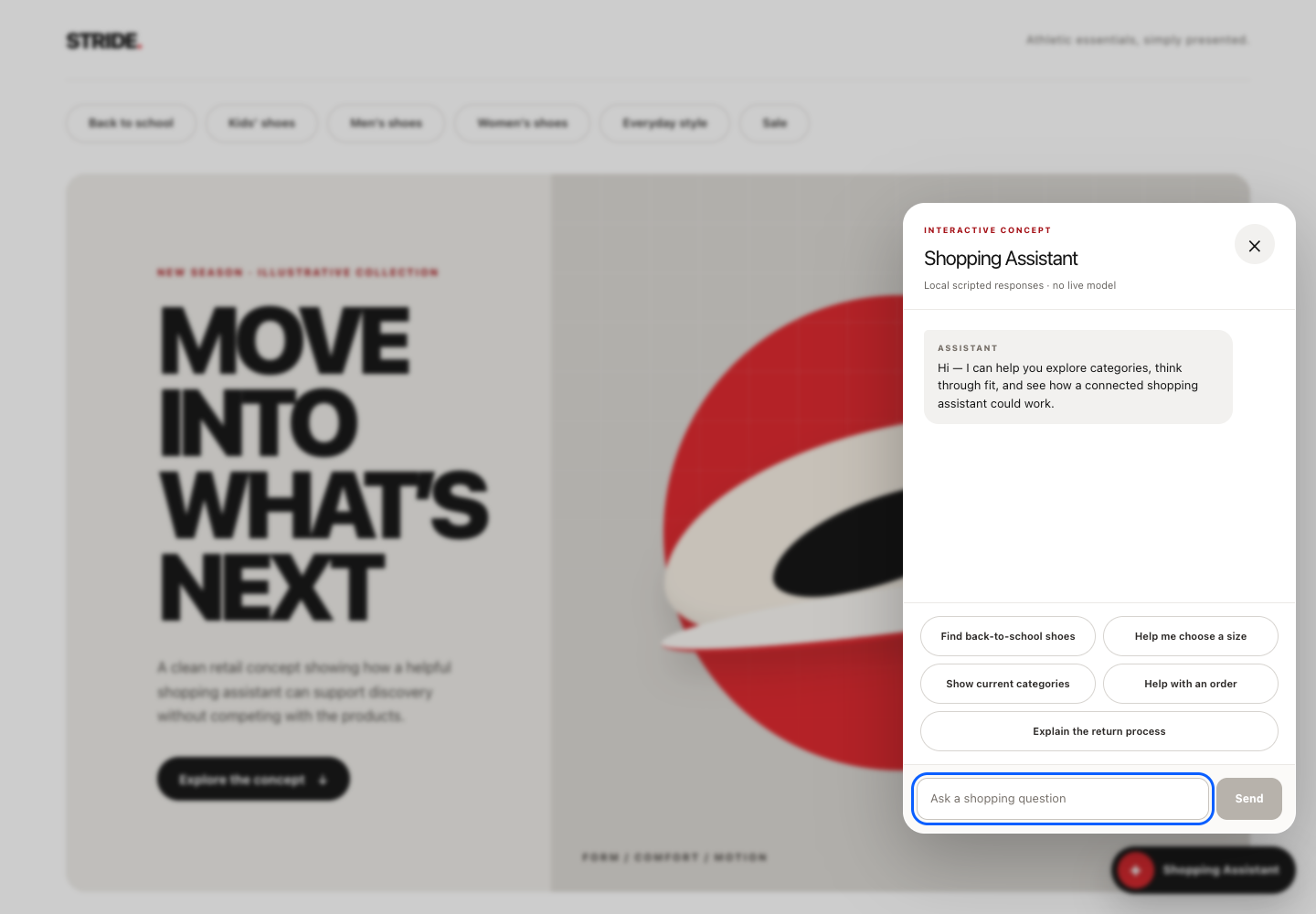
The engineering behind the work
Governed AI Dispatch Gateway.
A defined assignment. Limits on what an agent may change. A result people can inspect.
- Problem. AI-assisted delivery needs clear limits, recoverable records, and a distinct release decision.
- Design decision. Separate review from limited code changes, and separate technical completion from approval or release. The tradeoff is deliberate: wider work needs additional authority.
- Built. MGV's internal Gateway uses LangGraph to guide supported workflow transitions and Git to identify the code version. It sets limits on what an agent may change and records the result.
- Checked. One demonstrated coding workflow completed a limited edit, a specifically authorized local commit, acceptance testing, and independent review.
- Current result and limit. These workflows have been tested in MGV’s macOS environment. Use in a customer environment requires separate integration and testing.
A person decides whether the work is ready to release. The Gateway is not presented as a client deployment, certification, or ready-to-install enterprise product.
Explore the engineering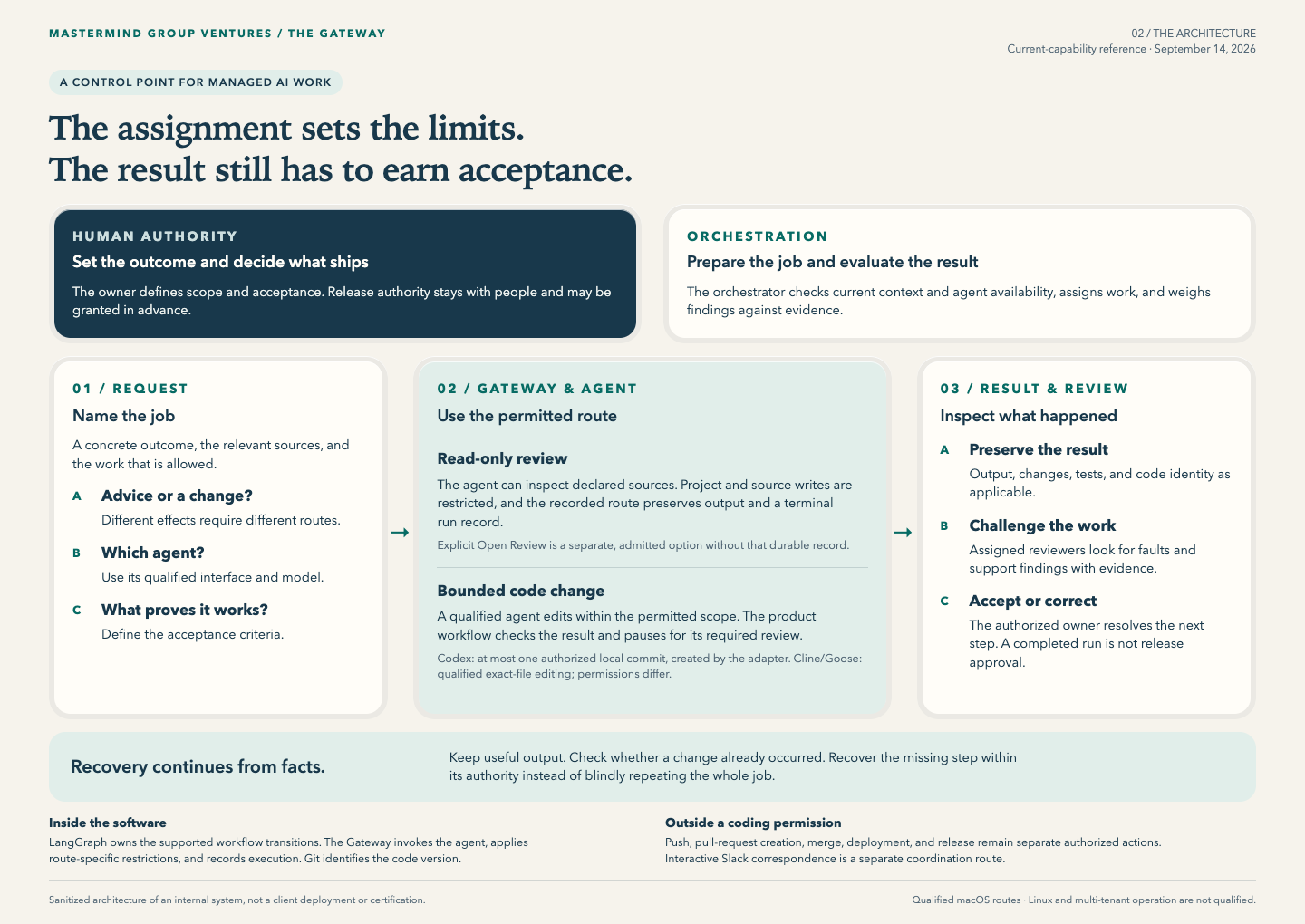
Take a one-page summary
Choose the statement for your team.
The same MGV capabilities, explained for three different buying situations.
Prime contractors & partners
Add a focused delivery partner to your team.
Open partner PDFBanks, utilities & healthcare